Macros are small programs in SolidWorks which allows to do lot of repeated or complex stuff in very short time. In other words you can take a coffee break while that tiny Macro is working for you and you get the salary for that work. Looks interesting, then read on..
Pre-requisites to learn SolidWorks API
Just a combo of SolidWorks and a Programming language (VB, VB.NET, C#, and C++) can make you API master. I prefer VB not because I feel it is more simple but I can understand a bit of it.
Recently I flipped over CADSharp and found a massive Video library teaching how to play with SolidWorks macro along with huge Macro library with many free examples.
About CADSharp
Keith, a former SolidWorks application support engineer, created CADSharp.com to help others learn the SolidWorks API quickly and painlessly.
How to access the hidden (actually not hidden but free) resources
What CADSharp has to offer
Lot of interesting and helpful articles on SolidWorks API and VBA. Find them here
But that has not ended yet, CADSharp.com is proud to announce its upcoming SolidWorks API training webinars for the month of June, 2012, covering a range of important API topics. Register now and Learn SolidWorks API while you Watch!
Here are the images submitted for SolidWorks Render Contest – 74. Click on the images to get a better visualization before casting your VOTE. Please vote once for the image of your choice.
With its easy-to-use product approach, 3DVIA Composer streamlines the creation of 2D and 3D graphical contents for product communication and technical illustrations.
3DVIA Composer allows non-technical users to create associative 2D and 3D product communication deliverables directly from your 3D CAD data. By leveraging existing product designs, 3DVIA Composer enables deliverables to be initiated earlier and then kept up to date automatically, helping to lower costs and speed time to market.
3DVIA Composer V6R2013 SP0 is LIVE for all Subscription Customers
P.S: Login required for access. Full access requires an active Subscription Service contract. Additional commercial licensing required for 3DVIA Composer.
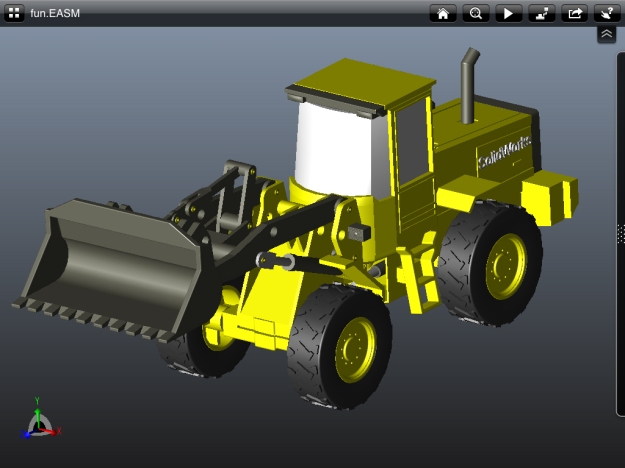
CAD users and specially SolidWorks users have been asking for a CAD file viewer which can be taken anywhere to present their stuff to others. And with the availability of eDrawings for iPad, an application that lets you bring your 2D and 3D files to a customer’s site, or to a sales meeting, sharing the design concepts will be easy and more quicker.
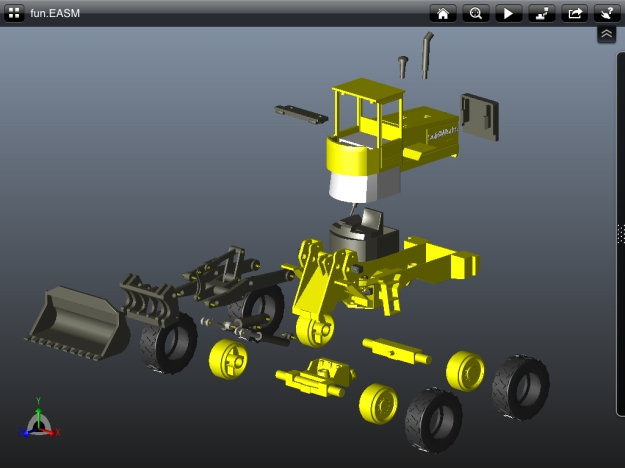
eDrawings for iPad is the only CAD viewer on the iPad that allows you to view native eDrawings files, DraftSight files, and SolidWorks parts, assemblies and drawings files. Since its launch, eDrawings software has become a successful and much-loved collaboration product. In the last year alone, more than 2 million customers downloaded the eDrawings Viewer. With multi-touch gestures, eDrawings for iPad lets you pan, zoom and rotate 2D and 3D models; animate and explode your 3D views; and view and animate drawings from:
SolidWorks 3D design software
DraftSight free CAD software
AutoCAD® software
DWG and DXF files
eDrawings is the email-enabled communication tool that dramatically eases sharing of product design information. You can load and send files via email to collaborate more effectively with everyone involved in product development, including people who are not regular CAD software users to interpret and understand 2D and 3D designs.
What are the key features and benefits of eDrawings for iPad?
Available for just $1.99, the capabilities of eDrawings for iPad include:
Open files from email, Apple® iTunes® File Sharing, or other online file sharing service (e.g. Dropbox, Box, and others)
Zoom, pan, and rotate 2D or 3D CAD data with the touch of a finger
View 3D animations, 3D standard views, and 2D drawing views
Browse assembly components tree, configurations, and drawing sheets
View designs in full screen – just double tap to expand it on the screen
Store files on your iPad through iTunes File Sharing
Intuitive and easy-to-use user interface
Sample files included
How will eDrawings for iPad be supported?
3DS SolidWorks will provide the same level of support offered to the desktop users of eDrawings.
eDrawings for iPad is currently available for iPad devices (running iOS 4.3 or later).
In what languages will eDrawings for iPad be available?
Although eDrawings for iPad is available worldwide, the application user interface will initially be available in English only. However, it will support eDrawings files in all languages created with eDrawings publishers, SolidWorks and DraftSight.
BOXX is the leading innovator of high-performance workstations and rendering systems for visual effects, animation, product design, engineering, architectural visualization, and more. Combining record-setting performance, speed, and reliability with unparalleled industry knowledge, BOXX is the trusted choice for creative professionals worldwide. For more information, visit www.boxxtech.com.
GoBOXX 1840 features a third generation Intel® Core™ i7 (Ivy Bridge) quad core mobile processor delivering outstanding performance for 64-bit applications in animation, compositing, motion media, design, and more. 1840 also includes NVIDIA® Optimus™ technology which chooses the best graphics processor for running a given application and automatically routes the workload to either the NVIDIA Kepler GPU or Intel integrated graphics – delivering outstanding performance while providing longer battery life.
Processor
Third generation (Ivy Bridge) Intel® Core™ i7 Quad Core (Up to 2.9 GHz and up to 3.8GHz turbo mode)
DraftSight™*is a free* 2D CAD product that lets professional CAD users, students and educators create, edit and view DWG files. DraftSight runs on Windows®, Mac®, and Linux®.
To help get you started, DraftSight team would like to invite you to download the no-cost DraftSight Getting Started Guide.
For beginners and experienced CAD users alike, the DraftSight Getting Started Guide has more than 180 pages of fundamental skills necessary for the efficient use of DraftSight.







 Boxer's SOLIDWORKS™ Blog